

Your Raspberry Pi needs an operating system to work. This is it. Raspberry Pi OS is a free operating system based on Debian, optimized for the Raspberry Pi hardware, and is the recommended operating system for normal use on a Raspberry Pi. The OS comes with over 35,000 packages: pre-compiled software bundled in a nice format for easy installation on your Raspberry Pi.
Raspberry Pi OS (previously called Raspbian) is under active development, with an emphasis on improving the stability and performance of as many Debian packages as possible on Raspberry Pi.
Install Raspberry Pi OS using Raspberry Pi Imager
Raspberry Pi Imager is the quick and easy way to install Raspberry Pi OS and other operating systems to a microSD card, ready to use with your Raspberry Pi. Watch our 45-second video to learn how to install an operating system using Raspberry Pi Imager.
Download and install Raspberry Pi Imager to a computer with an SD card reader. Put the SD card you'll use with your Raspberry Pi into the reader and run Raspberry Pi Imager.
What operating systems are available in Raspberry Pi Imager?
Raspberry Pi Imager offers official Raspberry Pi OS versions, along with third-party options like Ubuntu, LibreELEC, and RetroPie. It is available for Windows, macOS, and Linux.
Do I need an internet connection to use the Raspberry Pi Imager?
Only if you're downloading an OS image directly through the app. You can also use a local image file if you've already downloaded one.
All features for the Raspberry Pi OS can be found here and the installation instructions can be found here.
What's New
- Raspberry Pi Imager for Windows updated to 2.0.8
- Support for setting HiDPI scaling directly in the Screens panel, enhancing display clarity on high-resolution monitors.
- The Wayland compositor Labwc has been updated to version 0.9.4 with visual and usability refinements like task switcher icons and a more coherent Openbox appearance.
- Qt6 application theming support and improved font selection for Qt5 apps to fix appearance inconsistencies.
- PulseAudio has been removed in favor of PipeWire as the default audio stack.
- New versions of Chromium (version 142) and Firefox (version 145.0) browsers.
- Various usability tweaks such as volume sliders and calendar pop-ups that close with click on their icons, external drives showing correct icons, and Control Center plugin dialogs no longer overlapping the taskbar.
- The system is based on Debian 13 with the Linux kernel updated to version 6.12.47 LTS.
- The Alacarte menu editor is back in the system image for easier menu customization.
- Firmware updates and improvements in concurrency handling and performance have also been noted.
Trixie - the new version of Raspberry Pi OS
Probably the biggest change in Debian Trixie is one that no one will actually notice until the year 2038 - or rather, will now not notice in 2038 due to changes in this version. Linux has always used a time system based on the number of seconds since an arbitrary start time of midnight on January 1st, 1970, and this time value has been stored in a 32-bit number. If you do the sums, this 32-bit value will overflow and loop back to zero (i.e. January 1st, 1970) some time on January 19th, 2038.
Now, clearly there are a few years left before this actually becomes a problem - indeed, I'll probably have retired by then - but Debian wanted to get ahead of the game, and so from Trixie onwards, all times have been changed to use a 64-bit value rather than a 32-bit value. They are still using the same start date, but because there are now twice as many bits available to store the number of seconds, the calendar will not overflow until sometime around the year 292,277,026,596. (By which time I will definitely have retired, so this will then be someone else's problem.) This means that many parts of Trixie have had to be rebuilt to ensure that the entire system is using the new time format. But as I said, you're really not going to notice that!
New theme
Something you will notice, however, is that we've made some changes of our own in the Trixie release. The most obvious is that we have updated the theme for the desktop - we have a completely new set of icons, a new font, new desktop backgrounds, and some other small tweaks to refresh the appearance of the system. This should be apparent as soon as you launch it.
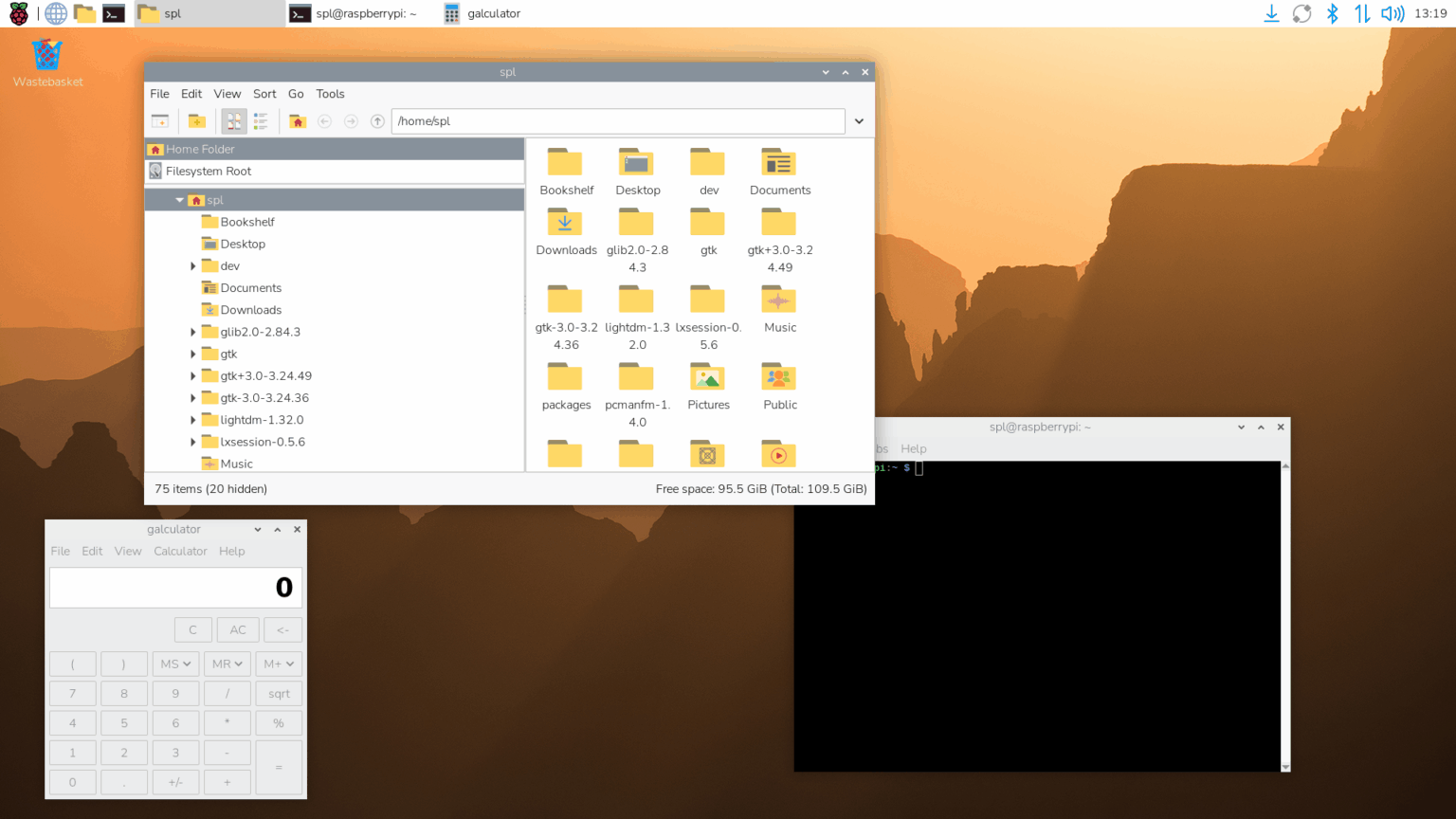
Many years ago, at the very start of my career, I worked as a user interface designer at Cambridge Consultants Ltd, and I was very pleased to be able to work on this update with an old colleague from those days; this is the first time we have used an outside designer to provide input on the appearance of the desktop, and I hope you'll agree that the results were worthwhile.
The new font is called Nunito Sans Light, which replaces the old Piboto font we have used for the last ten years or so. We have a new selection of desktop wallpapers, again provided by Greg Annandale from the Raspberry Pi Foundation. In case you were wondering, the default wallpaper is a picture of the sun rising over the Drakensberg mountains in Lesotho.
New Control Centre application
Another change we have made to tidy things up is to replace all the old preferences applications - Raspberry Pi Configuration, Appearance Settings, Mouse and Keyboard Settings, Screen Configuration, Printer - with a single new Control Centre application.
New Bookshelf features
We launched the Bookshelf application during the COVID-19 lockdown to make it easier to access the free electronic versions of Raspberry Pi Press publications. Recently, we have changed the way that the free versions are distributed, so that subscribers to Raspberry Pi Official Magazine get early access to titles, which are then made available to everyone else free of charge a few months later.
Recent titles are now displayed in Bookshelf with a padlock icon - these are the titles that will become available for free in the next few months. But if you are a subscriber (or would like to become one), you can click the 'Contribute' button to log into your account and unlock all the latest titles immediately.
Read the complete release notes here.
