
Designed to provide you with a clean, modern and easy-to-use interface where you can quickly access the latest software features, game stats, performance reports, driver updates, and much more - all from one convenient location.
Take advantage of the ALT+R hotkey to open AMD Software: Adrenalin Edition directly in-game, making it even more convenient and easy to adjust your favorite features and get a fantastic gaming experience.
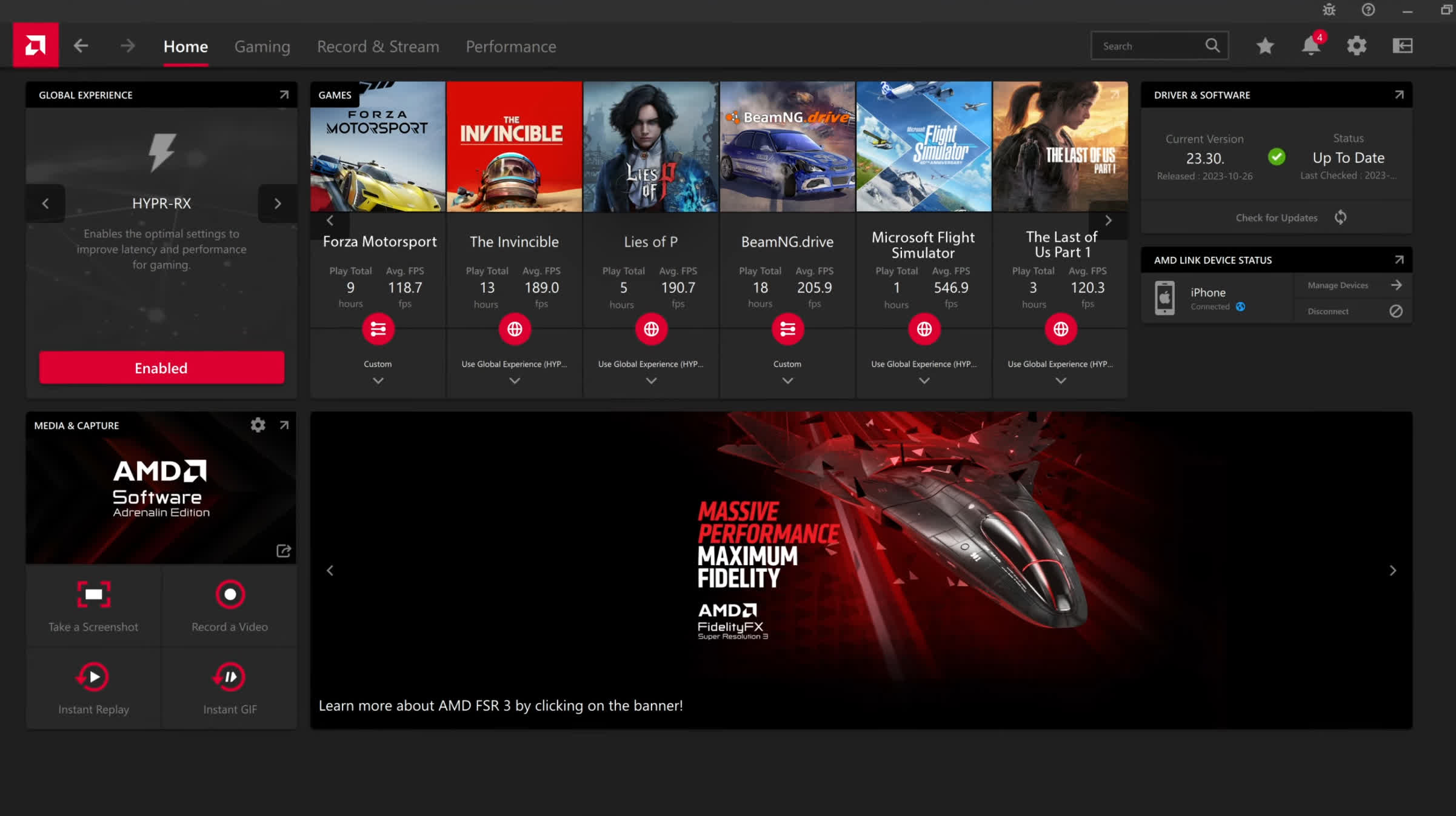
You can also download the AMD Link App for Android, which allows you to conveniently access gameplay performance metrics and PC system info on your smartphone and/or tablet.
What's New:
Highlights
New Product Support
- AMD Ryzen 5 7500X3D
New Game Support
- Call of Duty: Black Ops 7
- Anno 117: Pax Romana
- Arc Raiders
Fixed Issues
- Intermittent application crash may be observed while playing games with Easy Anti-Cheat enabled when using the Radeon Overlay.
- CPU metrics/tuning may not appear in the AMD Software: Adrenalin Edition™ Application after updating the graphics driver using the AMD Software Install Manager.
Known Issues
- Intermittent application crash or driver timeout may be observed while loading a saved game in Cyberpunk 2077 with Path Tracing enabled. AMD is actively working on a resolution with the developer to be released as soon as possible.
- Intermittent application crash or driver timeout may be observed while playing Battlefield 6 on AMD Ryzen AI 9 HX 370
- Intermittent application crash or driver timeout may be observed while playing Roblox Player (Car Zone Racing & Drifting) when task switching between media on Radeon™ RX 7000 series products.
- Texture flickering or corruption may appear while playing Battlefield 6 with AMD Record and Stream on some AMD Graphics Products.
- Radeon Anti-Lag 2 option may not be available while playing Counter-Strike 2 (DX11) with Radeon Anti-Lag 2 enabled on some AMD Graphics Products, such as the Radeon™ RX 9070 XT. Users experiencing this issue are recommended to use the Vulkan API as a temporary workaround.
- Intermittent system crashes may be observed while using some high-bandwidth HDMI 2.1 displays during display standby. Users experiencing this issue are recommended to use a DisplayPort connection as a temporary workaround.
Additional Information
- When downgrading to a previous version of AMD Software: Adrenalin Edition, it is recommended to use the AMD Cleanup Utility.
Here you can find similar drivers with different versions or releases for different operating systems:
-
- September 29, 2026
- Windows (all)
- 954 MB
-
- August 20, 2026
- Windows (all)
- 887 MB
-
- June 29, 2026
- Windows 10/11
- 818 MB
-
- June 29, 2026
- Windows 10/11
- 818 MB
-
- June 22, 2026
- Windows 10/11
- 818 MB
-
- June 2, 2026
- Windows 10/11
- 818 MB
-
- May 14, 2026
- Windows 10/11
- 818 MB
-
- May 6, 2026
- Windows 10/11
- 818 MB
-
- March 20, 2026
- Windows 10/11
- 908 MB
-
- February 26, 2026
- Windows 10/11
- 908 MB
Browse TechSpot's entire driver catalog: