

MicroDicom DICOM Viewer is a lightweight application designed for viewing, processing, and preserving medical images in the DICOM format. It includes a set of commonly used tools for manipulating DICOM files and features an intuitive interface suitable for clinical or educational use. The software is free for non-commercial purposes, with commercial licenses available through the developer's online store.
Features
- Free DICOM viewer for non-commercial use
- Lightweight DICOM viewer
- Over 15 years of active development
- Easy handling DICOM medical image data
- Intuitive interactive user interface
- Ultrafast performance
- Over 2 million downloads
- No advertisements
Handling DICOM medical image data
- Open medical images in DICOM format
- Open DICOM directory files
- Open images in common graphics formats (JPEG, BMP, PNG, GIF, TIFF)
- Display patient list from DICOMDIR
- Open images via drag & drop in the viewer
- Open images with double-click in File explorer
- Open ZIP files with medical images, ZIP files can be password protected
- Scan for DICOM medical images
- Displaying medical images from a CD
- DICOM Anonymizer
- Edit DICOM tags
Export DICOM files to images, movies, clipboard and text
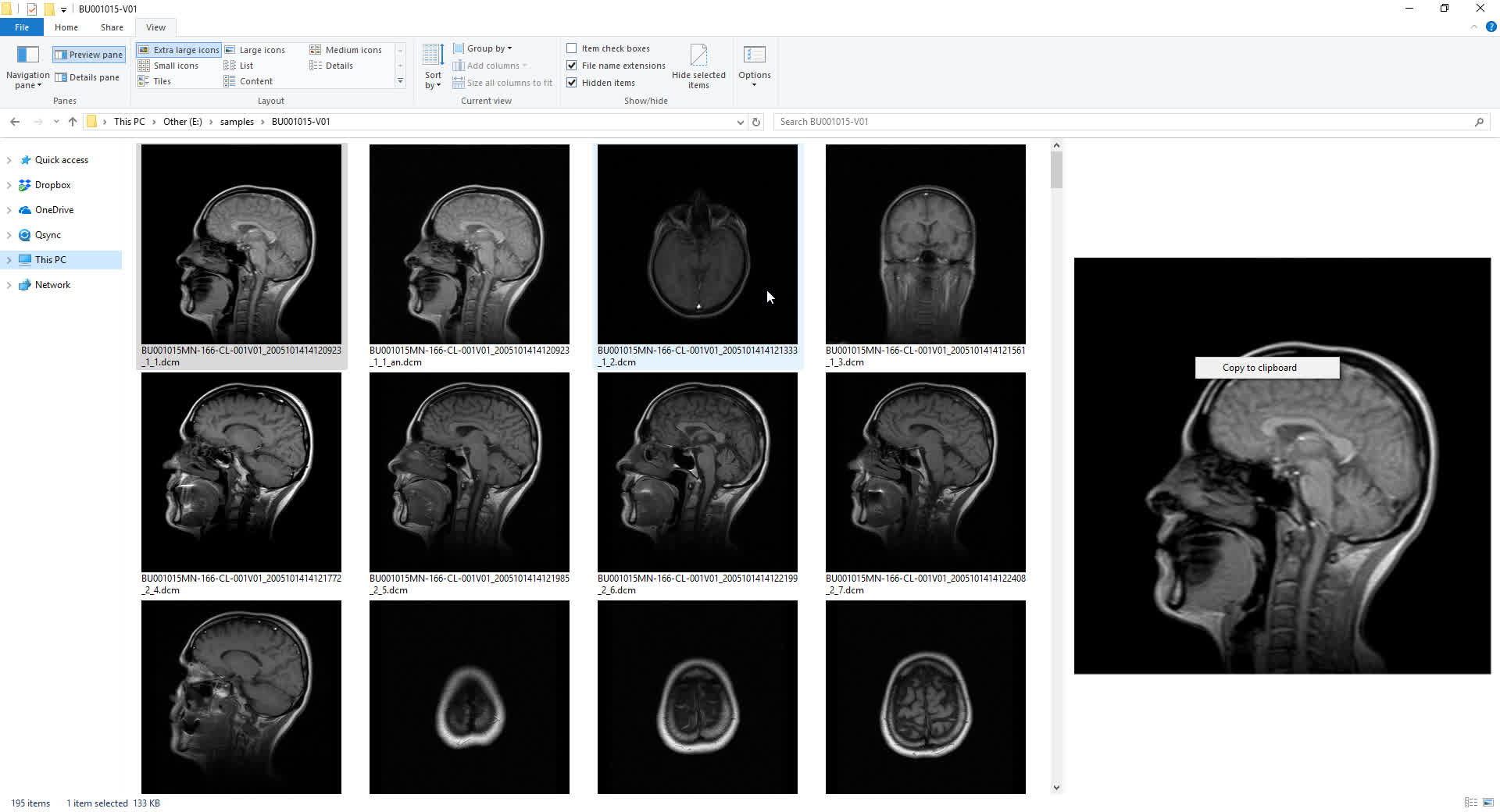
MicroDicom DICOM Viewer can export DICOM images to common graphics formats and videos. Our software can be used to convert JPEG, BMP images to DICOM images. Images can be sent to the Windows clipboard and after that paste in other applications.
- Export DICOM to JPEG, BMP, PNG, GIF, TIFF
- Export DICOM to WMV, AVI, MP4
- Export DICOM to text or Comma Separated Values (CSV) file
- Export DICOM image to clipboard
- Export JPEG, BMP, PNG, GIF, TIFF to DICOM
- Copy image to clipboard
- Automated open and copy DICOM images from CD/DVD
- Anonymize DICOM images
- DICOM converter - batch convert of JPEG, BMP, PNG, GIF, TIFF to DICOM
Patient CD/DVD/USB DICOM Viewer
We offer MicroDicom DICOM Viewer CD/DVD/USB version. This autorun package can be burned with DICOM images together on CD/DVD/USB or other external storage. Our software runs from CD/DVD on other computers without installation. Users can insert a CD and autorun will start our viewer and show images that are written on the CD. It is suited for patient CD/DVD to show DICOM images without installation.
Viewing, Tools, Measurement and Annotations
Our software come up with many tools for operation over medical images.
- Brightness/contrast control
- Window/Level tool and presets
- Zooming, panning and scrolling DICOM images
- Rotate and flip
- Medical image processing operation
- Measurements and annotations – distance, free hand, rectangle, ellipse, angle, arrow, hide area, text, calibration, Cobb angle, open and closed curve
- Mean, median, minimum and maximum values, standard deviation
- Density in Hounsfield Units
- Zoom tool, Pan tool, Plane tool
- Cine Loop for display real-time ultrasounds or angiography images
- Full Screen mode
- Displaying DICOM tags of selected image
- Ability to show only favorite tags
- Multi-touch support
- Customizable toolbars for increased efficiency and productivity
- Customizable preferences
- Different application themes
- Applying image filters - blur, edge, sharpness, morphological
What's New
2025.3
New features:
- Apply wildcard settings when download from a DICOM server via command line.
- Make ability to apply color map on export, copy to clipboard and printing.
- Added Preferred transfer syntax for receiving DICOM images.
- Set MaxReceivePDULength to 65536 for better downloading and sending image to and from DICOM server.
- Refactoring.
- Added synchronization of inverted images when windowing synchronization is turned on. Also, all images from PET modality are inverted by default.
- When open containing folder on a file in DICOM browser, have to select file in Windows explorer.
- Added color map to common images.
- Anonymize don't have to make Patient folder with name, id or birthday.
Defect fixing:
- Fixed a crash related with security issue Case VU#980101.
- Fixed a crash in scanning DICOM images.
- Fixed windowing in MPR to be taken from the original series.
- Fixed an issue with Custom tag values in the Download from the DICOM server dialog.
- Fixed an issue with invert of an image from a series.
- Fixed an issue with not restoring toolbars and panes after full-screen.
- Fixed an issue with display information in the DICOM browser and remove modality from comparing studies.
- Fixed a crash when default view is database view and show split screen.
- Fixed a crash in MPR.
- Fixed a defect with adding downloaded files from C-GET, that are used to refresh the DICOM browser.
System Requirements:
- Run on Windows Vista, Windows 7, Windows 8, Windows 8.1, Windows 10 and Windows 11
- MicroDicom is an application for Windows platform. But you can easily run it on macOS using Wine or CrossOver MAC software
- No specific hardware requirement, compatible with all Windows computers
- Available for x86 and x64 platforms
