

This is a minimal optical character recognition (OCR) utility for Windows 10/11 which makes all visible text available to be copied.
Too often text is trapped within images, videos, or within parts of applications and cannot be selected. Text Grab takes a screenshot, passes that image to the OCR engine, then puts the text into the clipboard for use anywhere. The OCR is done locally by Windows API. This enables Text Grab to have essentially no UI and not require a constantly running background process. Working with text can be much more than just copying text from images, so Text Grab has a range of different modes to make working with text fast and easy.
I am the author of the PowerToy's Text Extractor. The Full-Screen Grab mode of this app was the basis of that PowerToys.
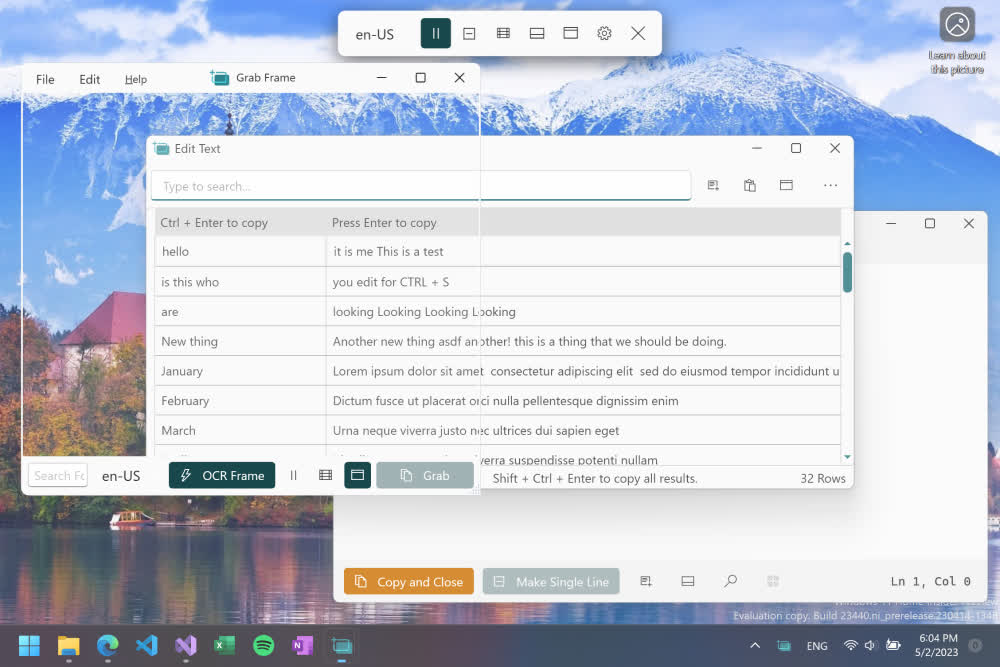
Where Text Grab is useful:
- Pictures
- PDFs
- Application text
- Videos
- Websites
- Any mixture of the above
Text Grab has three different modes.
- Fullscreen capture: This works by simply selecting a rectangular region, or just clicking a word, and Text Grab attempts to copy any text within the region to the Windows Clipboard.
- Grab Frame: This is a floating window which can be placed over any window. This window will attempt to capture any text within the bounds of the Window.
- Edit Text Window: In this mode Text Grab is like a super charged Notepad. With a plain text area, you can capture, collect, and manipulate the text.
To view the history of what Text Grab has copied open the Windows Clipboard History with Windows key + V.
What's New
- Added some Local AI Text tools for Copilot+ PCs
- Let me know what you think of these
- What other tools would be useful here?
- Added Fullscreen Grab settings page with options
- Fixed bug around launch on login and history with EXE
- Added a bug report option in Danger settings
- Updated packages
- Reissue this release with smaller binaries built with net9
