

OpenClaw runs on your own devices and can connect to services such as WhatsApp, Telegram, Slack, and Discord. It supports multiple AI models and can use tools and plugins to handle tasks such as managing email and calendars, browsing the web, and automating everyday workflows.
Features
Runs on Your Machine
Mac, Windows, or Linux. Bring hosted, subscription-backed, gateway, or local models. State lives on your machine, not a vendor cloud.
Chat Where You Are
Talk to it on WhatsApp, Telegram, Discord, Slack, Signal, iMessage, or any of its 29 channels. Works in DMs and group chats.
Persistent Memory
Remembers your preferences, projects, and people from one conversation to the next.
Full System Access
Browses the web, fills forms, reads and writes files, runs shell commands. Full access or sandboxed-your choice.
Works With Your Team
Share one gateway: sessions the whole team can open and steer, live presence, and commits credited to the people behind them.
Skills & Plugins
Extend with community skills or build your own. It can even write its own.
Integrations
Connect OpenClaw to the chats, models, tools, and devices you already use. Bring API keys, sign in with supported subscriptions, route through a gateway, or run models locally. Extend the runtime with official plugins and community skills.
What's New
2026.9.7 Highlights:
AI agents and tools can read these release notes as plain Markdown.
OpenClaw 2026.9.7 is snappier under load and smoother in long conversations, with better update backups and rollback protection, plus fixes for upgrading from 2026.9.5. It also adds OpenAI's Agents API and Sign in with ChatGPT (Beta), alongside better chat on Mac, iPhone and iPad, and help picking up work after a restart.
2026.9.4 Highlights:
Highlights
- Recover from compatible failed updates: retain the previous package and restore it with the previous configuration and service when schema and configuration checks prove rollback is safe; database migrations still require a verified pre-update backup. (#140339) Thanks @fuller-stack-dev.
- Plugins in one place: discover bundled and ClawHub plugins, install them from the Control UI, and manage their setup, settings, and access in a unified Plugins workspace. (#135839, #135840, #139042, #137659, #137886, #138755, #142624, #142782) Thanks @Patrick-Erichsen.
- Prepared cloud sessions: start eligible Linux sessions from prepared local projects or public GitHub repositories, and build reusable snapshots from the Control UI before starting a conversation. (#143227, #143372, #143410, #143838, #143929)
- Answer questions in the terminal: use keyboard-driven choices, free-text answers, and multi-question prompts in both Gateway-connected and local TUI sessions. (#143273)
- GPT Image 2.5: select the new Flare and Sunburst variants for image generation and editing through OpenAI or fal without changing your existing default model. Related #143007. (#143068, #143069) Thanks @vincentkoc.
- More dependable conversation history: recover final replies after interrupted streams, retain timeout notices after reload, and prevent duplicate final answers when live chat hands off to saved history. Related #141839. (#142168, #142135, #142422) Thanks @LiuwqGit, @obviyus, @chelsealong, @von8794, and @jalehman.
- Voice that finishes delegated work: return subagent results to Talk and deliver the final answer even after repeated rounds of delegation. (#129535, #142830) Thanks @vincentkoc.
- Externally managed configuration: set OPENCLAW_CONFIG_READONLY=1 to keep OpenClaw from rewriting deployment-managed configuration while preserving read-only diagnostics and ordinary runtime state. Related #140706. (#140719) Thanks @sallyom.
Changes
- Rollback and recovery: eligible schema-neutral update failures restore the retained package, command shim, service, and pre-activation configuration, then verify the previous Gateway again. Changed database schemas, incompatible new databases, or intervening operator configuration edits block automatic rollback; a recovered update remains a failed update with a recorded rollback outcome. Use a verified backup before migration-bearing upgrades. (#140339) Thanks @fuller-stack-dev.
- Plugin organization: browse installed plugins by category, keep detail tabs together, use short plugin-page URLs such as /reports, and discover installed and ClawHub skills through one search. (#142710, #142711, #142712, #142713, #143183, #143758) Thanks @Patrick-Erichsen.
- Cloud ready workers: eligible local Git projects and public GitHub repository sessions can reuse prepared workers without repeating setup; private repository-only sessions and paired devices remain outside this preparation flow. The default reserve target is one per project/profile, capped at four Gateway-wide. Ready workers incur provider running-machine charges until deleted. Set cloudWorkers.profiles.
.readyWorkers or cloudWorkers.preparedPool.maxTotal to zero to disable the corresponding reserves. See warm images and ready workers. (#143227, #143372, #143410) - Terminal question controls: navigate choices with arrows or numbers, type an Other answer, toggle multi-select choices, and reopen a pending prompt with /question; local-mode questions last only for the running TUI process. (#143273)
- Chat navigation and composition: use a compact left-side conversation rail with sender identities in shared-chat previews, add selected text to the main composer, and preview attached videos before sending. Related #142207, #142592, #143473. (#142227, #143486, #142543, #142623) Thanks @vyctorbrzezowski and @Patrick-Erichsen.
- Skill learning: open learning from past work in a normal session that you can inspect and continue. (#142909) Thanks @obviyus.
- Command review: let the automatic command reviewer allow, deny, or escalate a command using bounded conversation context while retaining the execution policy's authority. (#141987, #142279)
- Node runtime recovery: offer a Node.js update when the CLI runtime is incompatible and keep diagnostics and update commands available to help repair the installation. (#142742, #143344) Thanks @jason-allen-oneal and @morrow-bluedot.
- Read-only deployments: honor host-owned OPENCLAW_CONFIG_READONLY=1 across configuration writes, setup, Doctor repairs, plugin changes, and updates; read-only configuration commands continue to work, and this mode does not make runtime state read-only. Related #140706. (#140719) Thanks @sallyom.
- Upcoming SDK deprecation: agent-harness-credential-prompt-string-argument entered deprecation on September 9, 2026; the legacy string argument to buildCredentialSafetyPrompt remains supported through November 30, 2026; plugin authors should pass { controlToolsAvailable }. See credential prompt migration. Related #128076. (#143238) Thanks @ejc3.
- SDK context compatibility: sdk-untrusted-context-identifier-aliases reached its September 8, 2026 removal date but remains removal-pending; retain the deprecated untrusted-named context aliases while published plugin readers migrate to the channel-named replacements; removal remains pending migration verification and explicit breaking-release acceptance. See plugin compatibility. (#142708)
- Cloud snapshot controls: build, rebuild, inspect, pin, delete, and roll back supported cloud-worker snapshots from Settings → Connections → Cloud workers → Snapshots. Active builds can be canceled with confirmation; held or pinned images remain protected. Snapshot storage and ready-worker charges still apply. (#143814, #143838, #143893, #143929)
- Cloud placement and diagnostics: edit advanced worker profiles and repository defaults, inspect cloud-session machine specifications, and select native Windows workers when the backend supports them. Warm images and desktops remain Linux-only. (#143801, #143864, #143769, #143798)
- Deepgram voice notes: transcribe voice notes with flux-general-en or flux-general-multi through Deepgram Flux; these models require ffmpeg. See Flux configuration. Related #129452. (#141836) Thanks @obviyus and @safzanpirani.
- Slow session diagnostics: identify the work holding a session lifecycle queue and see which artifact-cleanup preparation stage is taking time. Related #143885, #143939. (#143886, #143942)
Fixes
- Question answers: recover lost answer confirmations without sending the same input through ordinary steering again, and report uncertainty visibly while preserving independently accepted work. (#134003) Thanks @edenfunf and @obviyus.
- Doctor database diagnostics: report the concrete SQLite error for a stable malformed database instead of incorrectly blaming concurrent changes, while preserving the source database and its sidecars. (#139136) Thanks @vincentkoc.
- Plugin SDK code ranges: accept positional CodeRegion inputs containing only start and end again; consumers needing parser metadata should retain the inferred findCodeRegions result. Related #137509. (#137510)
- HTTP proxy safety: update HTTP dependencies and keep destination DNS checks in effect when requests bypass a configured proxy. (#139056)
- Transcript rewrites: leave live history intact when a durable tail rewrite fails and retain the admitted user input through repeated branch rewrites. (#138412, #138967) Thanks @fuller-stack-dev.
- Session cleanup: preserve other agents' plugin state on session deletion, keep case-sensitive peer identifiers distinct, and prevent canceled queued cleanup from erasing newly restored plugin state. Related #121984. (#138925, #122006, #138957) Thanks @RamiNoodle733, @obviyus, and @yunligou711-commits.
- Skill Workshop backups: refuse incomplete directory snapshots and verify retained originals before restore so deep user edits are not overwritten by an incomplete view. (#138082)
- Pending child launches: stop pending native and ACP child launches when their originating parent authority closes, while preserving ownership already transferred to accepted children. Related #139001. (#139020)
- Provider sign-in: keep the active plugin registry intact while discovering provider sign-in methods. (#138838)
- Automation replies: keep automation and heartbeat completions attached to their originating conversation and topic while retaining the isolated execution session and its policy. (#133323) Thanks @Marvinthebored, @Peetiegonzalez, and @obviyus.
- Configured agent hooks: retain configured hooks when a turn selects a non-default model. Related #138368. (#138979) Thanks @xialonglee, @obviyus, and @syncword.
- Channel reloads: keep channel start attempts and shutdown bound to the correct Gateway after plugin reloads, and isolate reloads of named IRC accounts. (#126547, #138699) Thanks @NianJiuZst and @ylcn91.
- Telegram proxy media: restore media through explicitly configured SOCKS proxies and HTTPS-proxy requests, including deployments where local DNS cannot resolve the destination. Related #131354. (#131436) Thanks @scoootscooob.
- Telegram details formatting: preserve headings, code, quotes, and tables inside authored details containers on sends and edits, including nested containers and literal code, when rich mode is enabled. Related #132624. (#132688) Thanks @sunlit-deng, @obviyus, and @YangManBOBO.
- Discord messages and voice: retain action-message bodies, intentional empty edits, and inline code across message chunks, and keep voice playback moving through pauses with a partial audio frame buffered. Related #138532. (#138347, #138413, #138536)
- Mattermost commands and recovery: recognize mention-prefixed commands such as @bot /new when commands.text is enabled, and recover reactions, button actions, and username matching after transient lookup failures. (#137902, #137968) Thanks @goffern.
- Plugin setup and diagnostics: repair retired plugin install configuration before service startup, avoid install warnings for intentionally disabled plugins, and attribute invalid-configuration errors to their actual source. Related #138652, #138791, #137694. (#138914, #138813, #137738) Thanks @obviyus, @worldtrading520, @NianJiuZst, @miguelarios, @SunnyShu0925, @altaywtf, and @anyech.
- Tlon summaries: refresh channel history after a monitor restart so explicit summaries use current messages, with independent caches for concurrent accounts. (#114580) Thanks @sunlit-deng and @obviyus.
- Doctor upgrade settings: retain active settings and the original default agent when automatically migrating a legacy multi-agent roster, preventing an older last-known-good snapshot from replacing the migratable configuration during an update. (#138837)
- Worker transcript safety: revalidate the live turn owner before committing queued transcript updates, preventing stale workers from publishing after their turn closes. (#138538)
- Video authentication and redaction: honor explicit no-auth and API-key modes for compatible video providers and redact reflected request credentials from provider failures. (#138205)
- Per-turn settings: keep inline thinking, verbosity, and authorized tracing scoped to the current turn through queueing, model changes, and fallbacks; model selection retains its existing persistence behavior. (#138695)
- Long conversations: keep the Gateway responsive while preparing long transcripts and keep cancellation effective throughout history preparation. (#138094)
- Compaction accounting: include orphaned, duplicate, and displaced tool results removed during history repair in dropped-message summaries and token totals. (#134987) Thanks @qingminglong, @Dengshanzhi, and @obviyus.
- Delegated approvals: wait for the actual approval outcome, retain cancellation and expiry behavior, and prevent late approval responses from applying closed work. (#137017)
- Code Mode recovery: return failed cells to the normal agent loop so the agent can inspect partial effects and continue the task with its configured tools. (#138044)
- OAuth tools and accounts: keep OAuth-authenticated MCP tools available to CLI agents through token refresh and preserve stored identity metadata when providers return only rotated token fields. Related #136238. (#136331, #127988) Thanks @NianJiuZst, @obviyus, @Volevanius, and @yetval.
- Slack delivery: avoid duplicate replies after lost streaming acknowledgments, keep progress temporary, send completion as a new reply, and retry explicit rate-limit rejections during delivery and uploads. Related #138479. (#138221, #137952, #138487) Thanks @pash-openai.
- WhatsApp terminal outcomes: deliver the reason a turn failed, timed out, or was refused instead of leaving the conversation silent. Related #136560. (#136864) Thanks @vyctorbrzezowski.
- Telegram upgrades: retain account names and sender-policy keys that happen to match retired tuning-setting names in Doctor migration. (#137860)
- Cron jobs: preserve the final reply when an automation removes itself, cancel removed conditions before main-session handoff, retain native creator tools in scheduled jobs, and preserve failure-alert policies when editing or cloning. Related #130753. (#138231, #138313, #137832, #129302) Thanks @Peetiegonzalez and @jalehman.
- Memory recall and recovery: keep rotated recall, allow memories to promote after an earlier daily claim, and show database, WAL, and embedding-cache usage with guidance for safe offline disk recovery. Related #136963, #135347. (#137967, #136965, #137876) Thanks @cleebailey75, @obviyus, and @AlexisBallo2.
- Update outcomes: make chat-triggered updates report success, failure, or an intentional skip, with actionable owner-setup and restart-recovery guidance. (#136588, #136995)
- Install cleanup: preserve runtime dependencies used by other installations and protect active update staging directories from concurrent cleanup. Related #137996. (#134099, #137998)
- Plugin recovery: repair missing installed plugin payloads so reinstall can recover a usable plugin. (#136806)
- Session search: find older matching sessions beyond the currently loaded window and load their matching rows. Related #138154. (#138167)
- macOS Gateway switching: keep windows, approvals, drafts, queued actions, and settings tied to the selected Gateway, clearing stale settings when switching. Related #136940. (#137089, #137502)
- Chat startup: load deep-linked conversations sooner by compressing large WebSocket payloads and deferring background transcript warming while the visible chat loads. (#136862)
- Realtime voice interruptions: prevent missed interruptions and stalled replies across Discord, OpenAI, and xAI voice paths, discarding queued audio for interrupted output. Related #137417. (#138072)
- Literal chat content: keep TTS directives literal inside Markdown code and keep attachment hints out of command input. (#138319, #138193)
Previous Release Notes:
OpenClaw 2.0, Accidentally (AKA v2026.8.1)
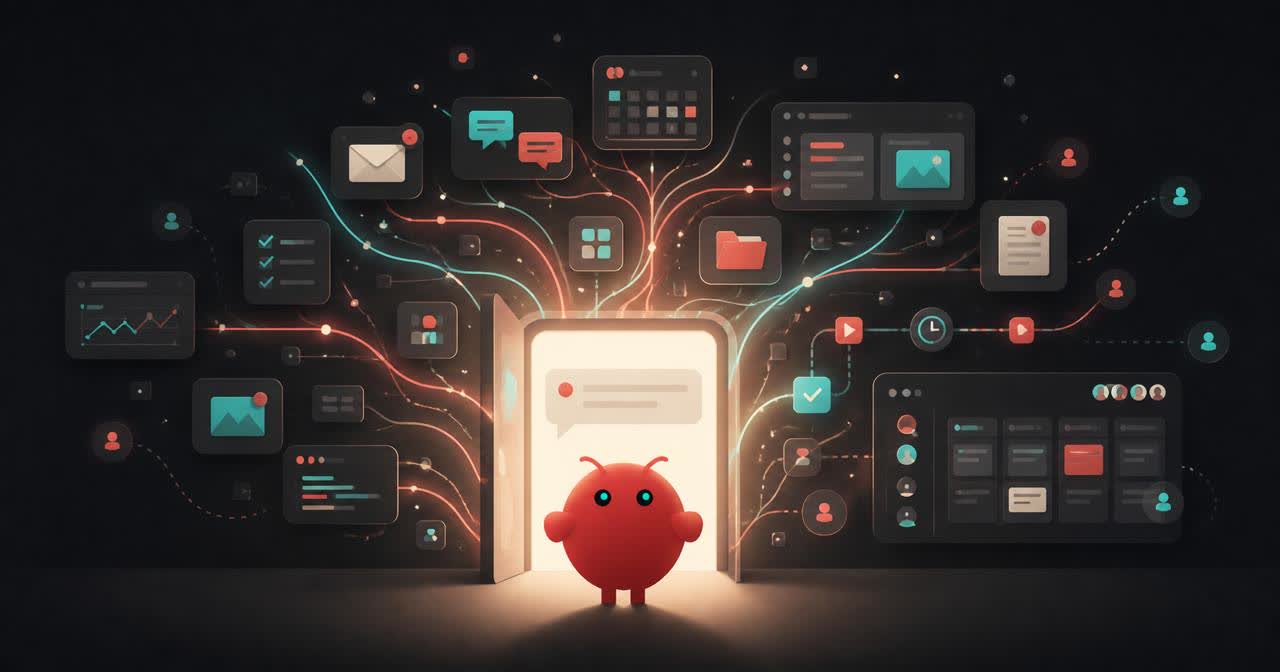
Today we released by far the largest update in the history of OpenClaw. It was built by 933 contributors, including 569 first-time contributors, and is composed of over 16,000 pull requests. You can read the full release notes here.
This update touches every part of OpenClaw, including installation, messaging, memory, skills, models, automations, the browser and native apps, plugins, security, and a very long tail of fixes. We started by simplifying installation and rebuilding the browser app as a first-class experience, but doing that properly meant carrying the cleanup through the rest of OpenClaw until it became OpenClaw 2.0.
Why this took nearly two months
Before this update, we had shipped 106 releases in 230 days, most within a day or two of the one before them, so going nearly seven weeks without shipping was not normal for us. The release cadence slowed, but development moved in the opposite direction because our team was growing, and the increased volume and pace of work outgrew both the foundation of OpenClaw and the process we used to ship it, so we reworked both at the same time.
That acceleration left us with a release containing roughly 50% of all pull requests ever merged into OpenClaw, so we took the extra time to make sure it worked for people starting from scratch and people upgrading an existing Claw rather than shipping quickly and handing them an update that broke what they already had.
Getting to a useful Claw faster
Installation was the first place we needed to make OpenClaw easier, so for first-time installs we are starting with what is already on someone's computer, including existing ChatGPT or Claude subscriptions, API keys, and local models. We cut or simplified a lot of configuration and moved the rest out of initial setup, letting people get to a first conversation faster and finish setting up their Claw by talking to it.
The browser app is where most people meet OpenClaw and have their first conversation, so we rebuilt it as a first-class experience where they can keep setting things up, return to ongoing work, or follow along live when they want to.
The rebuilt browser app opens directly into a conversation with your Claw.
How a useful Claw can grow
Your Claw does not need to be complicated, and a simple workflow might have it watch your inbox for your kids' school emails and send you a Telegram message whenever something important comes through, like homework due or an upcoming activity you need to prepare for. It uses one inbox, looks for a few important things, and sends the result to one place, which is already enough to be useful.
From there, a task can reach across more places without becoming harder to use, so when your brother sends an iMessage asking which iPad you bought for your dad, you can skip searching your email for the receipt and simply tell your Claw that your brother just messaged, then ask it to find the answer and send it to him. The Claw just does it.
The same progression showed up inside our own team while building this release as we used our Claws for more of the work and wanted to share tasks, collaborate on them, and sometimes hand them off entirely. OpenClaw had no way to bring another team member into the work without losing what the Claw already knew. Shared cloud sessions changed that and turned OpenClaw into a multiplayer experience our team now uses to build OpenClaw, bringing the right person into live work or handing it over with the context intact.
A user-built dashboard inside a shared multiplayer OpenClaw workspace.
What this adds up to
Your OpenClaw starts with one useful workflow and grows as far as you want it to, with the possibility of reaching across more of your life and work or becoming multiplayer with your family or team when you want and how you want. This has changed the relationship people have with software, turning it from something designed somewhere else that you have to accept into something you can tell what to do, shape around your life and work, and actually own.
