Take back your menu bar. Hide what you don't need, and find anything in a keystroke.
Hide what you don't need
Keep the items you look at in view and tuck the rest into a hidden section. Bring them back with a click, by hovering, by scrolling or with a shortcut.
Made for the notch
A notch covers part of the menu bar on a MacBook. The Thaw Bar shows the items it would hide in a bar of their own, just below.
Search from the keyboard
Find any menu bar item, hidden ones included, and open it. Recent items come first, and a shortcut opens an item by its letter.
Groups and folders
Group items so they move and hide as one, even across sections. Show a group as a folder with its own icon and colour.
Profiles
Save a whole setup and switch in one step, or bind it to a display, a Space or a Focus. Thaw shows what a profile would change before you apply it.
Zen Mode
One shortcut hides every section and locks the ways to reveal them, then puts it all back. It can switch on by itself while you present or share your screen.
Style the bar
Give the bar a shape, glass, a border, a shadow or a tint taken from your wallpaper. You can round the screen corners too, and keep a different look per Space or for light and dark.
Scriptable
Drive Thaw with thaw:// links from a launcher, a shortcut or a script.
A privacy pane
See what Thaw reads from your screen and every network call it makes, and switch them off.
Layout editor
Arrange every item in one window, with the keyboard if you like. Rest on a tile and the item lights up in the real bar.
What's New
Changed
- Thaw uses less memory and power.
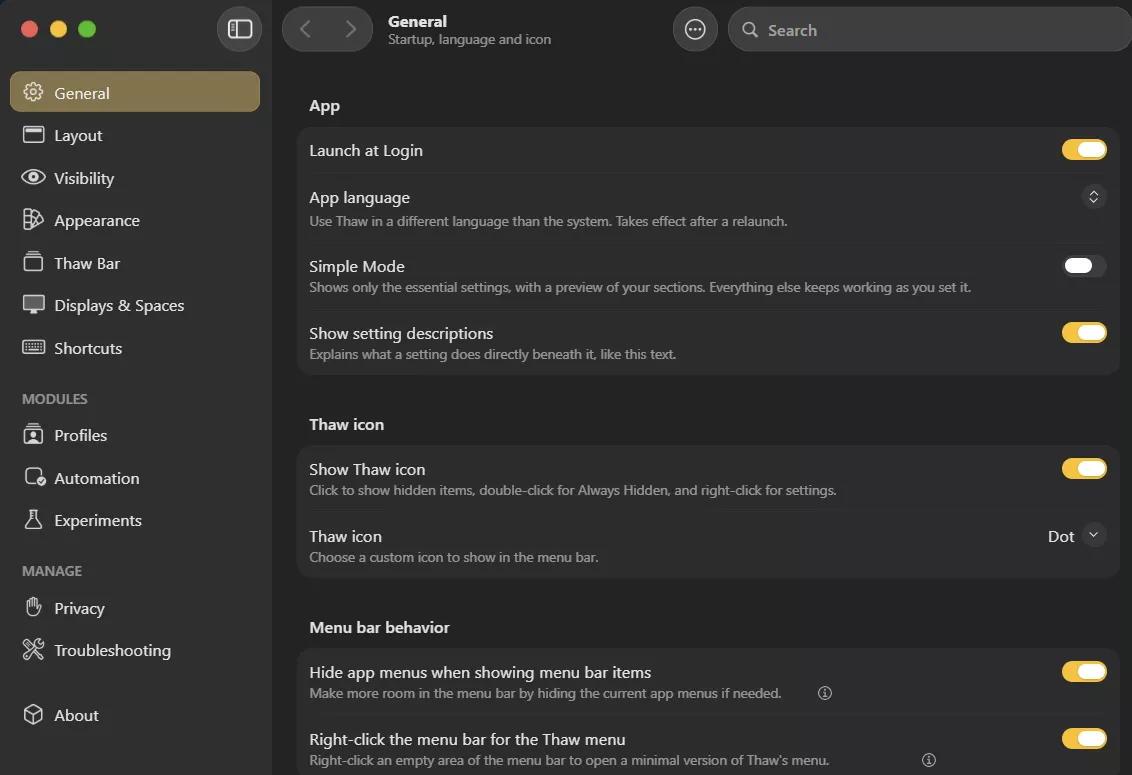
- The welcome is shorter, and a first launch starts in Simple Mode.
- The permissions window is smaller, with every permission in one list.
- Simple Mode can take pictures of your hidden items. Capture Hidden Items shows under the sections preview while any of them has no picture.
- Setup and Troubleshooting no longer offer Reduced mode. If you're using it, it keeps working.
- Thaw takes pictures of hidden items only when you press Capture Hidden Items, with either hiding method. Reported by @alexbuildsthings in #1534.
Fixed
Layout and items
- The menu bar no longer has an empty gap where Thaw's section dividers sit while their sections are closed. macOS gave each hidden divider the full spacing between items, so a gap could appear after a Space switch and stay until Thaw restarted. Reported by @void-AGT in #1596.
- An app that restarts while a profile applies keeps its place.
- Thaw no longer mistakes an item with a changing title for a new one on a display to the left of your main display.
- A reorder in Layout keeps applying until the menu bar shows it.
- Thaw saves menu bar changes and moves items that don't fit, even when it missed some apps while looking.
- An app's icons no longer show in a folder and in the menu bar at once. Reported by @AuthorProxy in #1617.
- The log no longer fills with failed lookups from Thaw. Reported by @wangzi0218 in #1662.
Thaw Bar and item pictures
- A hidden item you open from the Thaw Bar gets a new picture once its menu closes. By @Omoeba in #1620.
- Thaw updates a hidden item's picture when its icon gets shorter, such as Docker Desktop's new whale. By @Omoeba in #1666.
- A new picture no longer shows the item highlighted when its menu was open at the time.
- Revealed items hide again when the pointer rests where the Thaw Bar was.
- A hidden item opened from the Thaw Bar on another display opens its menu there. Reported by @RyuSeongbin in #1356.
Other
- Clicking the clock in a full-screen app on a MacBook with a notch opens Notification Center again. By @dmisgano99 in #1673.
- thawctl --help and thawctl -h exit successfully and print to standard output. By @Belligerently in #1634.
- thawctl reveal-item needs exactly one of --bundle or --item-id.
- thawctl set turns down a setting with no name. By @Belligerently in #1656.
- Thaw keeps a setting you change right before closing Settings.
- The widget icon lights another dot as soon as a reading crosses it.